
The Allura app
Care that stays with you.
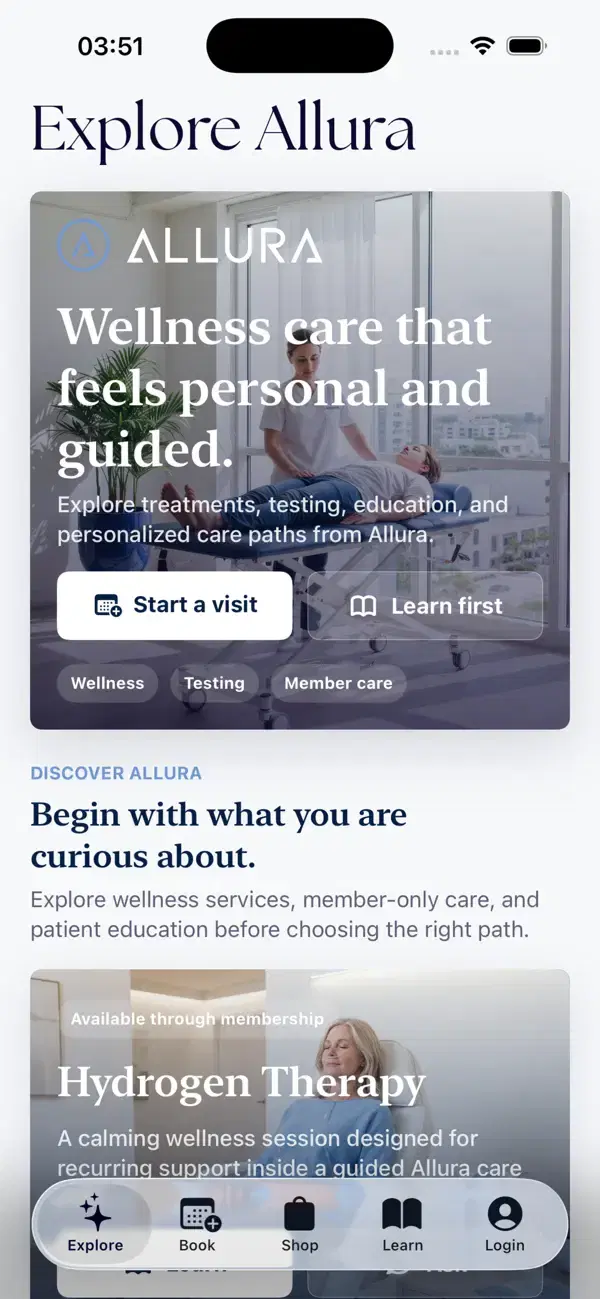
Your appointments, membership, and care-team recommendations. A simpler way to stay connected to Allura, wherever your day takes you.
Free to download · For iPhone · iOS 17 or later
A little less to organize
More connected.
More at ease.
Keep the practical parts of your care in one place, with the Allura team still here when you need a conversation.
Your visits, organized.
See upcoming appointments, review visit details, and request or manage booking with your approved patient account.
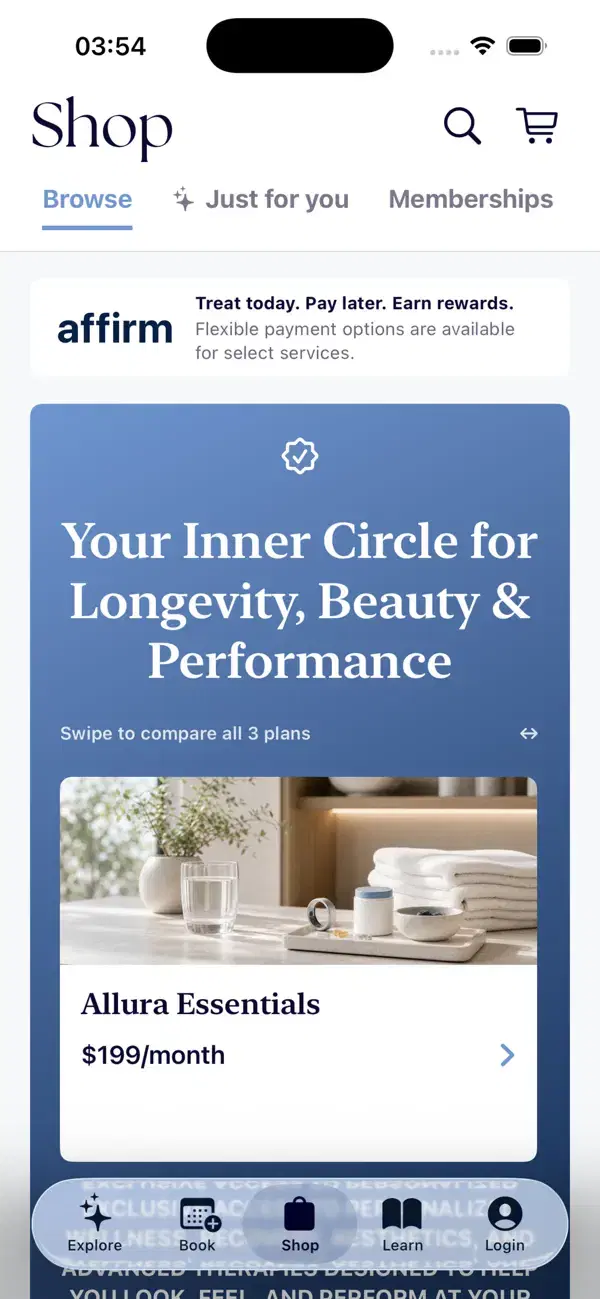
Your membership, at a glance.
Keep your membership status, benefits, and billing details together, so you know where you stand.
Allura Cash, close by.
View your Allura Cash in the app. Ask our team how it applies to your membership and eligible services.
Forms, at your pace.
Complete required patient forms and revisit submitted forms from one place, with less to organize before a visit.
Shopping, with guidance.
Explore products, treatments, and packages, and review product recommendations shared by your care team.
Room to explore and learn.
Get to know Allura’s care options and educational content before your next conversation with the team.
Patient features require approved access. Booking and selected services depend on availability, clinical eligibility, and care-team approval.
Take a look inside
From your first question to your next visit.
Explore care before you decide. Find your booking path, browse the shop, and return to the details that matter to you.
New to Allura? Our team can help you choose a starting point and arrange patient access. You don’t have to figure it all out alone.
Connect with our team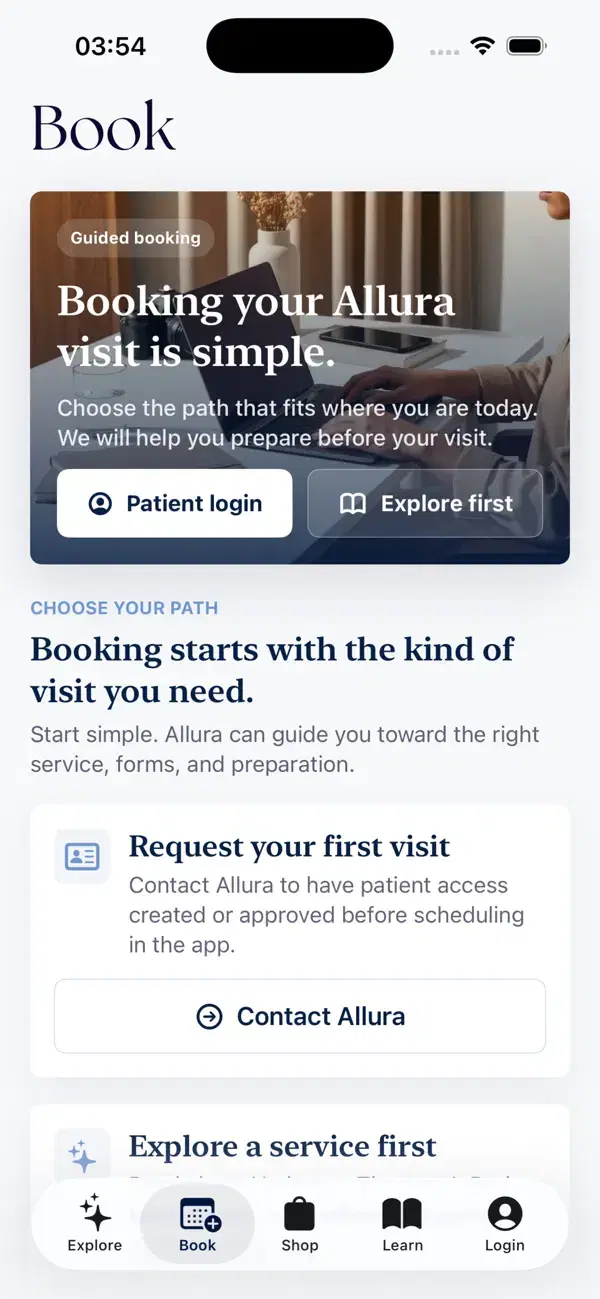
Make yourself at home
Allura, within reach.
A few simple steps to bring Allura along with you.
Download on the App Store (opens in a new tab) Scan with your iPhone camera to open the App Store. (opens in a new tab)
Download the app.
Open Allura Health and Wellness in the App Store on your iPhone. The app is free to download.
Connect with Allura.
New to the clinic? Contact our team to have your patient access created or approved before scheduling in the app.
Request patient accessSign in and settle in.
Use the verification-code sign-in flow to access your patient account, then explore the features available to you.
FAQ
A few things to know.
A real team, behind the screen.
Need help getting started? We’re here for you.